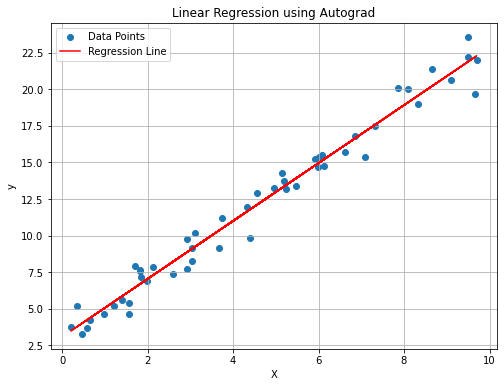
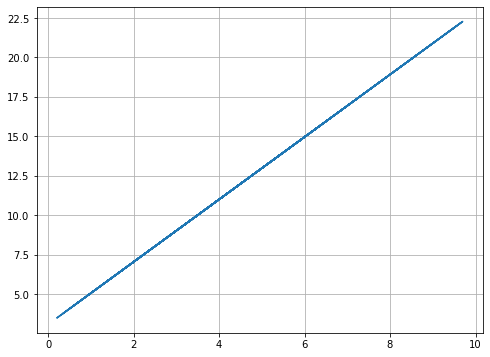
We use autograd to perform a linear regression on some randomly distributed data, with added random noise. We then compare the results with a linear regression performed using sklearn.
In the autograd implementation, we will use a basic gradient descent that minimizes the mean-squared loss function to find the two coefficients, slope and intercept.
In a later example, this will be done using pytorch.
In [1]:
# Import necessary librariesimport numpy as npimport matplotlib.pyplot as pltimport autograd.numpy as ag_npfrom autograd import grad# Generate some random data and form a linear functionnp.random.seed(42)X = np.random.rand(50, 1) *10y =2* X +3+ np.random.randn(50, 1) # noisy line# Define the linear regression modeldef linear_regression(params, x):return ag_np.dot(x, params[0]) + params[1]# Define the loss function = mean squared errordef mean_squared_error(params, x, y): predictions = linear_regression(params, x)return ag_np.mean((predictions - y) **2)# Initialize parametersinitial_params = [ag_np.ones((1, 1)), ag_np.zeros((1,))]lr =0.01num_epochs =1000# Gradient of the loss function using autogradgrad_loss = grad(mean_squared_error)# Optimization loopparams = initial_paramsfor epoch inrange(num_epochs): gradient = grad_loss(params, X, y) params[0] -= lr * gradient[0] params[1] -= lr * gradient[1]# Extract the learned slope and interceptslope = params[0][0, 0]intercept = params[1][0]# Plot the data points and the resulting lineplt.figure(figsize=(8, 6))plt.scatter(X, y, label='Data Points')plt.plot(X, slope * X + intercept, color='red', label='Regression Line')plt.xlabel('X')plt.ylabel('y')plt.title('Linear Regression using Autograd')plt.legend()plt.grid(True)plt.show()